<!DOCTYPE html>
<html lang="vi" xmlns="http://www.w3.org/1999/xhtml" prefix="og: http://ogp.me/ns#">
	<head>
<title>Cách dán Code vào trong Pascal</title>
<meta name="description" content="Cách dán Code vào trong Pascal - Savefile - Tin Tức - https&#x3A;&#x002F;&#x002F;tinhocdct.xyz&#x002F;savefile&#x002F;tin-cong-nghe&#x002F;cach-dan-code-vao-trong-pascal-206.html">
<meta name="author" content="TỔ TIN HỌC TRƯỜNG THPT ĐỖ CÔNG TƯỜNG">
<meta name="copyright" content="TỔ TIN HỌC TRƯỜNG THPT ĐỖ CÔNG TƯỜNG [webmaster@tinhocdct.xyz]">
<meta name="robots" content="index, archive, follow, noodp">
<meta name="googlebot" content="index,archive,follow,noodp">
<meta name="msnbot" content="all,index,follow">
<meta name="generator" content="NukeViet v4.0">
<meta name="viewport" content="width=device-width, initial-scale=1">
<meta http-equiv="Content-Type" content="text/html; charset=utf-8">
<meta property="og:title" content="Cách dán Code vào trong Pascal">
<meta property="og:type" content="website">
<meta property="og:description" content="Savefile - Tin Tức - https&#x3A;&#x002F;&#x002F;tinhocdct.xyz&#x002F;savefile&#x002F;tin-cong-nghe&#x002F;cach-dan-code-vao-trong-pascal-206.html">
<meta property="og:site_name" content="TỔ TIN HỌC TRƯỜNG THPT ĐỖ CÔNG TƯỜNG">
<meta property="og:url" content="https://tinhocdct.xyz/tin-cong-nghe/cach-dan-code-vao-trong-pascal-206.html">
<link rel="shortcut icon" href="https://tinhocdct.xyz/favicon.ico">
<link rel="canonical" href="https://tinhocdct.xyz/tin-cong-nghe/cach-dan-code-vao-trong-pascal-206.html">
<link rel="alternate" href="https://tinhocdct.xyz/rss/" title="Tin Tức" type="application/rss+xml">
<link rel="alternate" href="https://tinhocdct.xyz/rss/tin-tuc/" title="Tin Tức - TIN TỨC" type="application/rss+xml">
<link rel="alternate" href="https://tinhocdct.xyz/rss/thong-cao-bao-chi/" title="Tin Tức - THÔNG BÁO" type="application/rss+xml">
<link rel="alternate" href="https://tinhocdct.xyz/rss/ban-tin-noi-bo/" title="Tin Tức - BẢN TIN NỘI BỘ" type="application/rss+xml">
<link rel="alternate" href="https://tinhocdct.xyz/rss/tin-cong-nghe/" title="Tin Tức - CÔNG NGHỆ - KHOA HỌC" type="application/rss+xml">
<link rel="alternate" href="https://tinhocdct.xyz/rss/thu-thuat/" title="Tin Tức - THỦ THUẬT" type="application/rss+xml">
<link rel="alternate" href="https://tinhocdct.xyz/rss/tien-ich/" title="Tin Tức - TIỆN ÍCH" type="application/rss+xml">
<link rel="alternate" href="https://tinhocdct.xyz/rss/ai/" title="Tin Tức - AI" type="application/rss+xml">
<link rel="alternate" href="https://tinhocdct.xyz/rss/khoa-hoc/" title="Tin Tức - KHOA HỌC" type="application/rss+xml">
<link rel="alternate" href="https://tinhocdct.xyz/rss/hoat-dong-chuyen-mon/" title="Tin Tức - HOẠT ĐỘNG CHUYÊN MÔN" type="application/rss+xml">
<link rel="alternate" href="https://tinhocdct.xyz/rss/hoat-dong-cong-doan/" title="Tin Tức - CÔNG ĐOÀN" type="application/rss+xml">
<link rel="alternate" href="https://tinhocdct.xyz/rss/hoat-dong-doan-the/" title="Tin Tức - ĐOÀN THỂ" type="application/rss+xml">
<link rel="alternate" href="https://tinhocdct.xyz/rss/tuyen-sinh-huong-nghiep/" title="Tin Tức - TUYỂN SINH - HƯỚNG NGHIỆP" type="application/rss+xml">
<link rel="alternate" href="https://tinhocdct.xyz/rss/tuyen-sinh-2025/" title="Tin Tức - TUYỂN SINH 2025" type="application/rss+xml">
<link rel="alternate" href="https://tinhocdct.xyz/rss/lich-cong-tac-tuan/" title="Tin Tức - Lịch công tác tuần" type="application/rss+xml">
<link rel="preload" as="script" href="https://tinhocdct.xyz/assets/js/jquery/jquery.min.js">
<link rel="preload" as="script" href="https://tinhocdct.xyz/assets/js/language/vi.js">
<link rel="preload" as="script" href="https://tinhocdct.xyz/assets/js/global.js">
<link rel="preload" as="script" href="https://tinhocdct.xyz/themes/default/js/news.js">
<link rel="preload" as="script" href="https://tinhocdct.xyz/themes/mobile_default/js/main.js">
<link rel="preload" as="script" href="https://tinhocdct.xyz/themes/mobile_default/js/bootstrap.min.js">
<link rel="StyleSheet" href="https://tinhocdct.xyz/assets/css/font-awesome.min.css">
<link rel="StyleSheet" href="https://tinhocdct.xyz/themes/mobile_default/css/bootstrap.min.css">
<link rel="StyleSheet" href="https://tinhocdct.xyz/themes/mobile_default/css/style.css">
<link rel="StyleSheet" href="https://tinhocdct.xyz/themes/mobile_default/css/news.css">
<style>
	body{background: #fff;}
</style>
	</head>
	<body>

<div class="container-simple">
<div id="print">
	<div id="hd_print">
		<h2 class="pull-left">TỔ TIN HỌC TRƯỜNG THPT ĐỖ CÔNG TƯỜNG</h2>
		<p class="pull-right"><a title="TỔ TIN HỌC TRƯỜNG THPT ĐỖ CÔNG TƯỜNG" href="https://tinhocdct.xyz/">https://tinhocdct.xyz</a></p>
	</div>
	<div class="clear"></div>
	<hr />
	<div id="content">
		<h1>Cách dán Code vào trong Pascal</h1>
		<ul class="list-inline">
			<li>Thứ ba - 18/10/2022 11:39</li>
			<li class="hidden-print txtrequired"><em class="fa fa-print">&nbsp;</em><a title="In ra" href="javascript:;" onclick="window.print()">In ra</a></li>
			<li class="hidden-print txtrequired"><em class="fa fa-power-off">&nbsp;</em><a title="Đóng cửa sổ này" href="javascript:;" onclick="window.close()">Đóng cửa sổ này</a></li>
		</ul>
		<div class="clear"></div>
		<div id="hometext">
			Đầu tiên, Free Pascal có một số phiên bản có thể dán thẳng Code vào luôn.
		</div>
				<div class="imghome">
			<img alt="Cách dán Code vào trong Pascal" src="https://tinhocdct.xyz/uploads/news/2022_10/pascal.png" width="460" class="img-thumbnail" />
		</div>
		<div class="clear"></div>
		<div id="bodytext" class="clearfix">
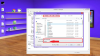
			Các bạn copy Code rồi vào mục&nbsp;<b>Edit - Paste from window</b>&nbsp;chọn nó là xong.
<div><img alt="" height="326" src="https://tinhocdct.xyz/uploads/news/2022_10/hinh-1.png" width="550" /></div>
<br  />
<br  />
Nhưng đối với một số bản Free Pascal hay hầu hết các bản Turbo Pascal (Dos Box) thì lại không có cái&nbsp;<b>Paste from Window</b>&nbsp;nên mình phải dùng một số thủ thuật sau:<br  />
<b>1)<u>&nbsp;Sử dụng NotePad:</u></b><br  />
- Copy Code.<br  />
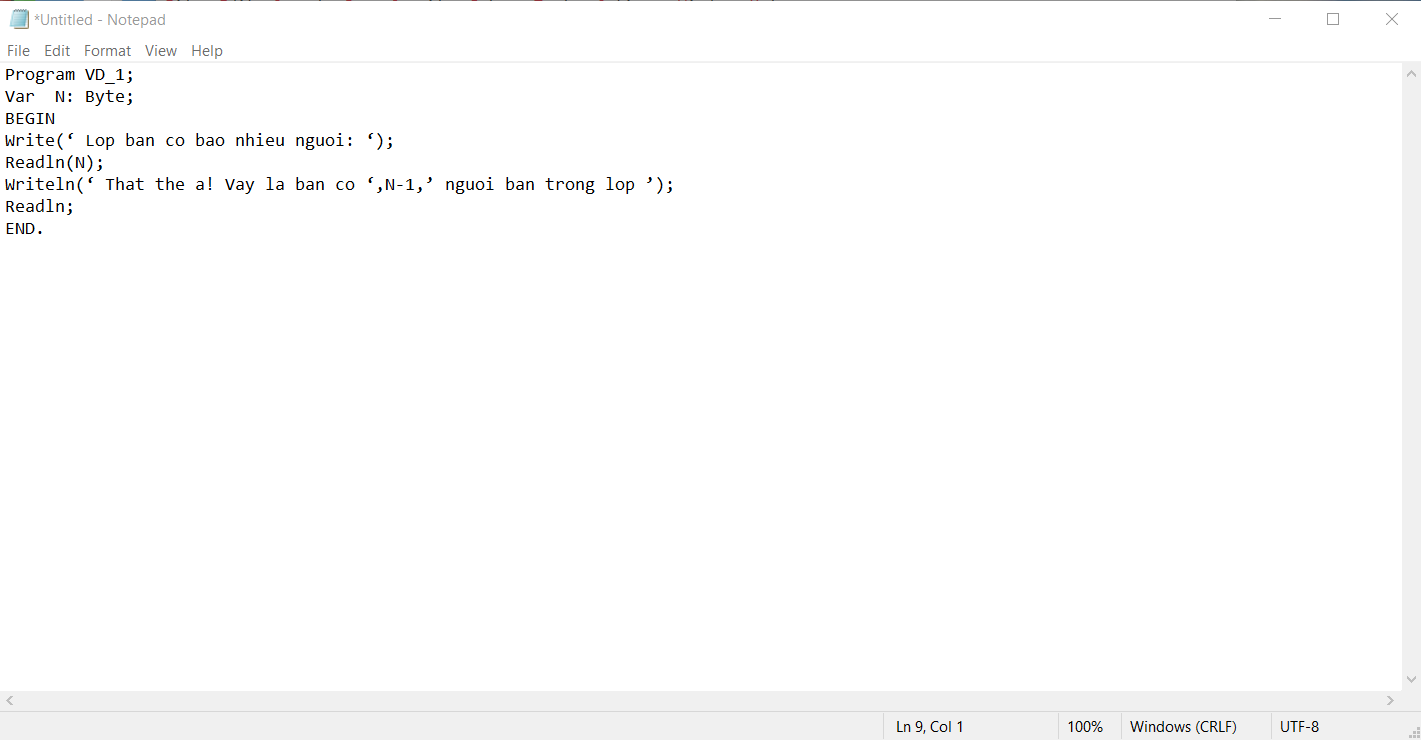
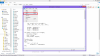
- Mở NotePad lên rồi dán Code vào.
<div><img alt="" height="474" src="https://tinhocdct.xyz/uploads/news/2022_10/hinh-2.png" width="550" /></div>
&nbsp;

<div><img alt="" height="286" src="https://tinhocdct.xyz/uploads/news/2022_10/hinh-3.png" width="550" /></div>
<br  />
- Tìm đến thư mục gốc của Pascal ( Đối với Turbo Pascal thì thường là ở trong thư mục BIN) rồi lưu lại với tên có đuôi&nbsp;<b>.Pas</b>.<br  />
&nbsp;
<div><img alt="upload_2018-7-17_15-59-32.png" height="56" loading="lazy" src="https://diendan.hocmai.vn/data/attachments/64/64973-d5f700a8a0598685e6e25da1a7b8d166.jpg" title="upload_2018-7-17_15-59-32.png" width="100" /></div>
&nbsp;

<div><img alt="upload_2018-7-17_15-57-44.png" height="56" loading="lazy" src="https://diendan.hocmai.vn/data/attachments/64/64971-1af6088ed387724ddff66c2235ebf77b.jpg" title="upload_2018-7-17_15-57-44.png" width="100" /></div>
&nbsp;

<div><img alt="upload_2018-7-17_15-56-5.png" height="56" loading="lazy" src="https://diendan.hocmai.vn/data/attachments/64/64970-d5ca041cb899e42fc779b90104811aa8.jpg" title="upload_2018-7-17_15-56-5.png" width="100" /></div>
<br  />
Chú ý là để All Files nha.<br  />
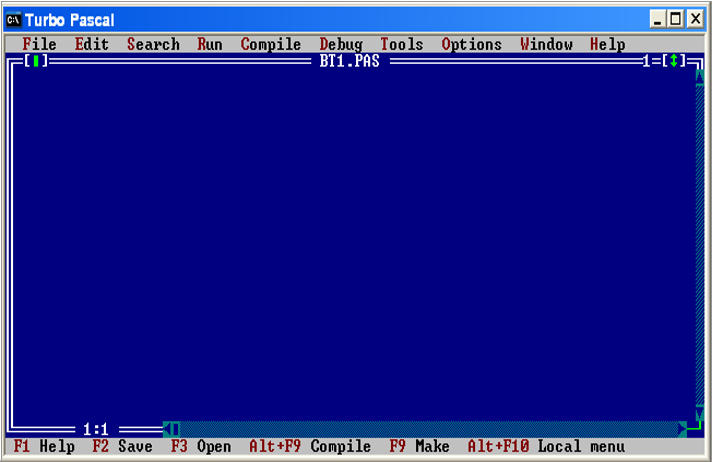
- Sau đó tắt NotePad, Mở Pascal lên chạy là OK
<div><img alt="upload_2018-7-17_16-2-13.png" height="56" loading="lazy" src="https://diendan.hocmai.vn/data/attachments/64/64975-bb8c941f2a824e85f297ba57feee31c0.jpg" title="upload_2018-7-17_16-2-13.png" width="100" /></div>
<br  />
<br  />
<b>2)<u>&nbsp;Dán trực tiếp vào File .Pas</u></b><br  />
Cách này cũng tương tự như trên nhưng là khi mình có sẵn file rồi.<br  />
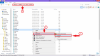
- Vào thư mục gốc (thư mục BIN trong Turbo Pascal) mở file lên bằng NotePad.
<div><img alt="upload_2018-7-17_16-7-26.png" height="56" loading="lazy" src="https://diendan.hocmai.vn/data/attachments/64/64977-3a69b5935f0743ee5f8f51d182d21520.jpg" title="upload_2018-7-17_16-7-26.png" width="100" /></div>
<br  />
<br  />
- Copy Code rồi dán vào. Lưu lại.
<div><img alt="upload_2018-7-17_16-9-21.png" height="56" loading="lazy" src="https://diendan.hocmai.vn/data/attachments/64/64980-bfd5178dbb8050fc42565e5c2494a847.jpg" title="upload_2018-7-17_16-9-21.png" width="100" /></div>
<br  />
<br  />
- Mở Pascal lên rồi chạy.<br  />
<br  />
OK Chỉ đơn giản vậy thôi.
		</div>
				<div id="author">
						<p>
				<strong>Tác giả bài viết:</strong>
				Thanh Sơn
			</p>
		</div>
	</div>
	<div id="footer">
		<div id="url">
			<strong>URL của bản tin này: </strong><a href="https://tinhocdct.xyz/tin-cong-nghe/cach-dan-code-vao-trong-pascal-206.html" title="Cách dán Code vào trong Pascal">https://tinhocdct.xyz/tin-cong-nghe/cach-dan-code-vao-trong-pascal-206.html</a>

		</div>
		<div class="clear"></div>
		<div class="copyright">
			&copy; TỔ TIN HỌC TRƯỜNG THPT ĐỖ CÔNG TƯỜNG
		</div>
		<div id="contact">
			<a href="mailto:webmaster@tinhocdct.xyz">webmaster@tinhocdct.xyz</a>
		</div>
	</div>
</div>

</div>
        <div id="openidResult" class="nv-alert" style="display:none"></div>
        <div id="openidBt" data-result="" data-redirect=""></div>
<div id="run_cronjobs" style="visibility:hidden;display:none;"><img alt="" src="/index.php?second=cronjobs&amp;p=x1rg4E8N" width="1" height="1" /></div>
<script src="https://tinhocdct.xyz/assets/js/jquery/jquery.min.js"></script>
<script>var nv_base_siteurl="/",nv_lang_data="vi",nv_lang_interface="vi",nv_name_variable="nv",nv_fc_variable="op",nv_lang_variable="language",nv_module_name="news",nv_func_name="savefile",nv_is_user=0, nv_my_ofs=-4,nv_my_abbr="EDT",nv_cookie_prefix="nv4",nv_check_pass_mstime=1738000,nv_area_admin=0,nv_safemode=0,theme_responsive=0,nv_is_recaptcha=0;</script>
<script src="https://tinhocdct.xyz/assets/js/language/vi.js"></script>
<script src="https://tinhocdct.xyz/assets/js/global.js"></script>
<script src="https://tinhocdct.xyz/themes/default/js/news.js"></script>
<script src="https://tinhocdct.xyz/themes/mobile_default/js/main.js"></script>
<script type="text/javascript" src="https://tinhocdct.xyz/themes/mobile_default/js/bootstrap.min.js"></script>
</body>
</html>